Your Visual Brand Blueprint — build your visual brand inside Claude or ChatGPT
A guided brand-building conversation that runs inside the AI you already use. Connect once, answer a few questions, and go from "I have no visual brand" to a finished brand system in about an hour. Do it in one sitting, or spread it over a few days.
Runs in Claude or ChatGPT. One guided session. Your brand system, built with you.
Not a form. Not a static PDF you skim once and forget.
Every decision point shows you an actual visual. A real color wheel. A real board of style thumbnails. Your brand gets built live, in the chat you already have open.
A real Blueprint output
This is what shows up in your chat
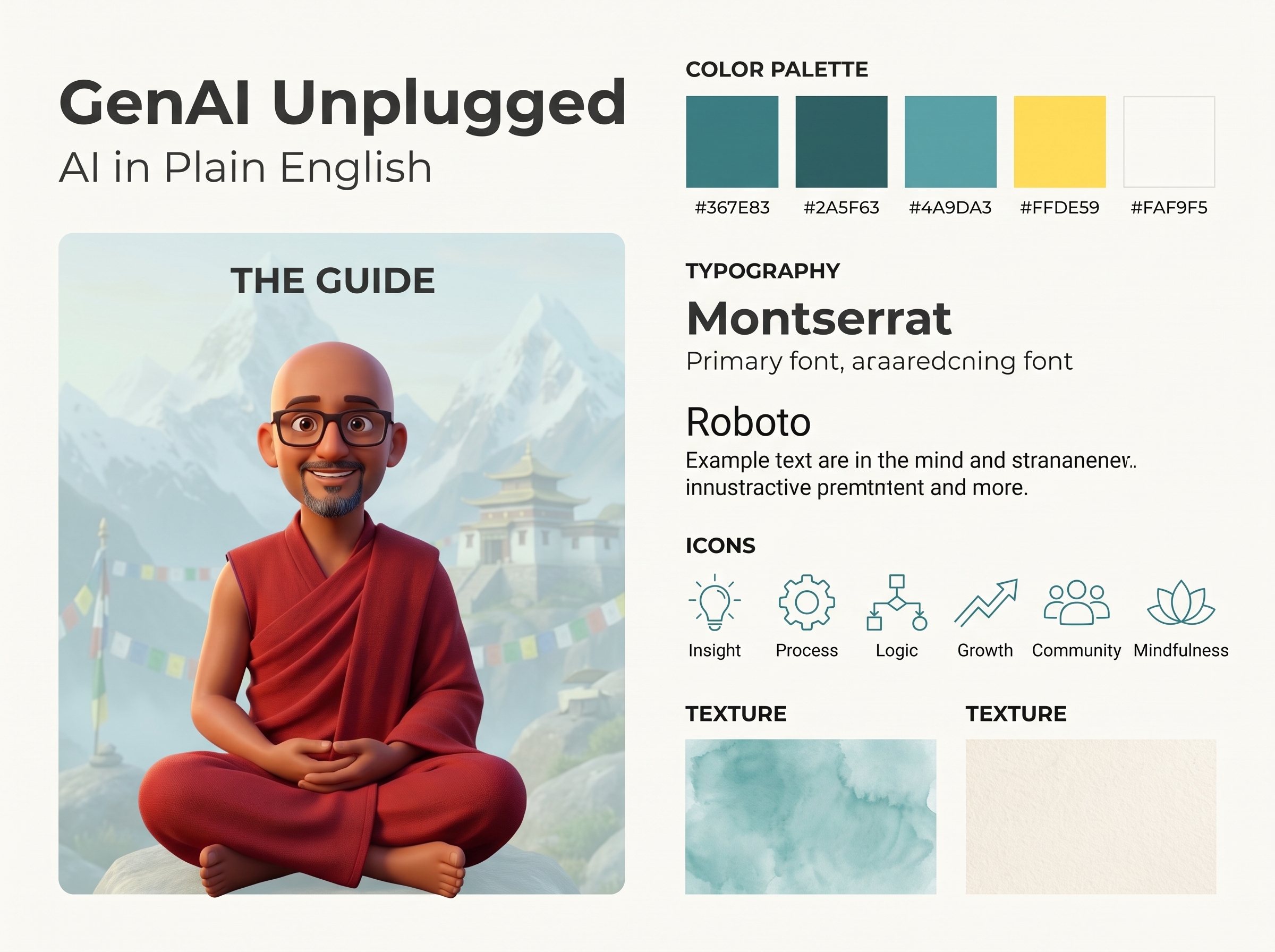
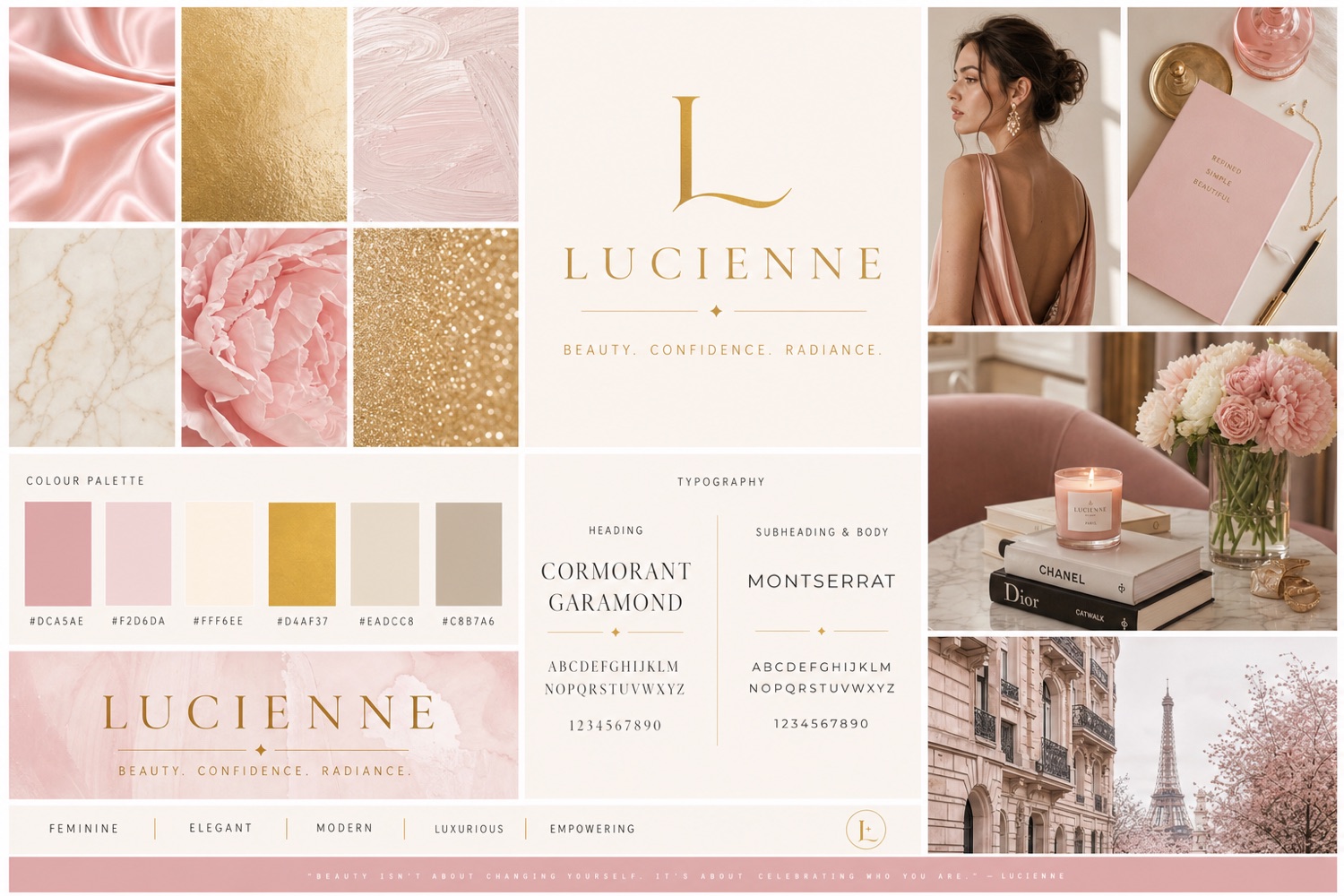
Same product, two very different answers. Your brand comes out looking like you, not a template.
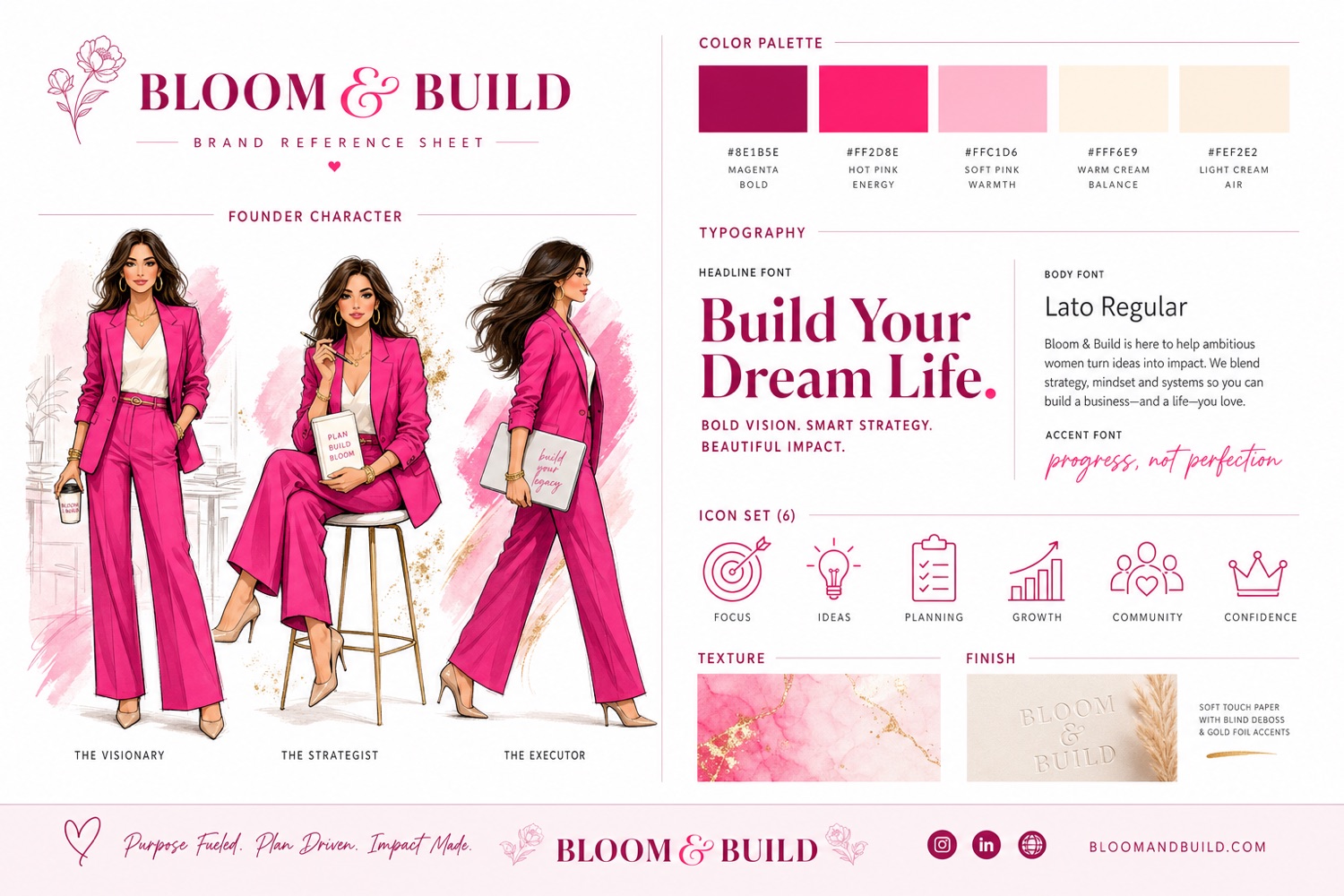
Generated live with GPT-Image-2. Exact hex codes, your character in three poses, typography, an icon set, textures. Built with you, live in the chat.
What you walk away with
Five deliverables. Each one a product on its own.
Not a report you skim once. A brand system you keep, reuse, and hand off.
Deliverable 01
Your Brand Reference Sheet
One image that locks your entire visual identity: palette with exact hex codes, typography logic, your character or mascot, an icon set, texture and finish. Attach it to any AI image tool and everything you make looks like you. We generate three, you pick your anchor.
Deliverable 02
Your Brand Rules Doc
Your brand, written down and usable. The LOCKED rules that make you recognizable, the FLUID ones you can vary, your hex codes and fonts, and a base prompt template. Paste it into any new AI chat and it stays on brand, forever. This is the doc you hand a VA or a designer, and Deliverable 05 gives you a link to hand them.
VISUAL BRAND RULES — Bloom & Build
🔒 LOCKED
– Magenta #8E1B5E always leads
– Illustrated character, never a photo
– Gold-foil accent on hero moments
– Bold serif display + clean sans body
🌊 FLUID
– Pose, outfit, background, props
Deliverable 03 · the big one
A Reusable Claude Skill
This is the part nobody else gives you. Your brand rules packaged as a Claude skill you drop into your own Claude project. From then on, every image, cover, and thumbnail you ask for comes out on brand automatically. No pasting rules into every chat. It is a system, not a PDF you forget.
---
name: your-visual-brand
description: Use for every image,
cover, or thumbnail request.
---
🔒 LOCKED rules applied automatically
🎨 Palette + fonts baked in
✅ On brand, every single time
Deliverable 04
A Claude Design Brief
A copy-paste brief that hands your whole system to Claude Design. Paste it in and get real, on-brand covers, one-pagers, and landing pages built as live HTML, in minutes. Your Blueprint becomes finished assets, not just a direction.
Deliverable 05 · the one that outlives the chat
Your Brand Board, on a link
Everything above published to a permanent web page that is yours: palette with hex codes, your LOCKED and FLUID rules, your style, your reference sheets, and ten layouts showing your brand actually applied. A YouTube thumbnail, a newsletter header, a social square, a wordmark, buttons, a quote card, a one-pager, a business card, a title slide. Send the link to a designer, a VA, or a client. They do not need this product to open it. Close the chat and it is still there.
Private to whoever has the link, never indexed, and yours to delete whenever you want.
vbb.genaiunplugged.com/board/…
Bloom & Build
BLOOM & BUILD
Bb
Plus the strategy behind all of it
🧠 SUCCESS diagnostic
A clear read on why your current visuals are, or are not, landing, scored across six memorability dimensions.
🎭 Your brand archetype
The psychological frame your visuals should reinforce, inferred from what you actually said, never guessed.
🌈 Color system
A full palette on brand-personality research, with the one accent that makes your call-to-action actually click.
🔒 LOCKED / FLUID system
The four to six rules that make you recognizable, and the ones you are free to vary.
All of it, for one $129 payment. Plus up to 20 on-brand images generated for you.
No app to learn. It runs inside the AI you already pay for.
Get access
Buy on Lemon Squeezy. You get a license key instantly.
Connect it once
Add the Visual Brand Blueprint connector to Claude or ChatGPT and paste your license key. Allow about 10 minutes, with the step-by-step guide open next to you.
Run the conversation
Answer one question at a time. See a real color wheel, a real style board, and real brand directions appear inline as you go.
Walk away with your system
Your rules doc, reference sheet, reusable skill, and design brief, plus up to 20 on-brand images generated for you. Then your brand board, published to a link that is still there long after the chat is closed.
One price, everything included
Visual Brand Blueprint, Pro
Everything included
$129$129 USD
You save $64. The price goes back to $129 after October 27.Ends in a few days
One guided build. Every deliverable. No tiers, no upsells.
The full guided brand-building conversation
SUCCESS diagnostic, archetype, and gap read
Complete color system with hex codes and CTA logic
Illustration style direction and LOCKED / FLUID rules
Brand rules doc, reference sheet, reusable Claude skill, and Claude Design brief
14-day refund if you have generated fewer than 10 images. Lemon Squeezy, instant license.
Setup guide
Purchase, connect and start in about 10 minutes
Four steps, done once. After that you only open a chat and start.
1
Buy it
Your license key lands in your receipt email right away.
2
Add the connector
In Claude, ChatGPT, Codex, Claude Code, Cursor or VS Code, add a custom connector and paste this URL.
https://vbb.genaiunplugged.com/mcp
3
Paste your license key
Your browser opens a page with 1 field. Paste the key and click Connect. There is no account to create with us.
4
Say “start my visual brand blueprint”
You are connected, and the first question appears in your chat. A full build takes 45 to 60 minutes and you can stop and pick it back up within 7 days.
Every click with screenshots for Claude, step-by-step for ChatGPT, Codex, Claude Code, Cursor and VS Code, plus a 5-minute video.
Use 1 Claude account everywhere. If your desktop app and your browser are signed in to different Claude accounts, the connector lands on the wrong one. The guide shows how to check.
Troubleshooting
If something does not connect
Most issues are a half-finished login. A clean reconnect fixes almost everything.
I added the connector but Claude says it is not connected
Your Claude desktop app and your browser are almost certainly signed in to different Claude accounts. The connect step finishes in the browser, so the connector attaches to the browser's account and the app never sees it. Sign both in to the same account, then click Connect again. The setup guide shows where to check.
My license key will not validate
Copy the full key from your Lemon Squeezy receipt with no extra spaces, and make sure the purchase completed (the license must be active). Still stuck? Email support@genaiunplugged.com with your receipt.
It connects but shows no tools
Finish the sign-in and paste your license key on the connect page, then remove the connector and add it again. On claude.ai just delete the VBB connector and re-add the URL.
Stuck mid-login on Claude Desktop, Claude Code, or Codex
A wedged earlier attempt is usually the cause. Clear the MCP auth cache and reconnect:
macOS / Linux:rm -rf ~/.mcp-auth Windows (PowerShell):Remove-Item -Recurse -Force "$env:USERPROFILE\.mcp-auth"
Then re-add the connector and sign in again.
Images are not generating
Each build includes up to 20 images, and each license includes 55 images in total. If a build hits its 20, start a new build. Once the 55 are used, no more images can be generated on that license. If it says the image service is unreachable, that is temporary, retry in a moment. A failed attempt does not use up your image budget.
How many times can I run it?
As many as you like. There is no limit on builds. Images are limited: each license includes 55 generated images in total, up to 20 in one build, and a reference sheet uses 3 of them because you get 3 variations to pick from. Your license can be connected in up to 3 places, for example Claude and ChatGPT.
Which AI do I need?
Claude on any plan (Free, Pro, or Max). ChatGPT works on a paid plan with Developer Mode for now (a one-click app is coming). Codex works via the CLI. Image generation is included and runs on our side either way. Other MCP apps like Cursor and VS Code can connect too, but they show plain text where Claude and ChatGPT show the interactive panels.
How do I get a refund?
You can get a full refund within 14 days of purchase, as long as fewer than 10 images have been generated on your license. Email support@genaiunplugged.com or reply to your receipt.
Builds production-grade AI systems by day and ships indie products by night. Documents every system, every build, step by step.
Questions
Frequently asked
Which AI do I need?
Claude works best today, on any plan that supports connectors. ChatGPT works too, and its image generation is excellent for the reference sheet and moodboards. You connect once and run the whole conversation inside it. Other MCP apps such as Cursor, VS Code and Claude Code can connect as well. You get the same build in plain text, without the sliders, colour wheel and style board, and some of those apps show images as links.
Do I need to be technical?
No. If you can add a connector once and answer questions in a chat, you can do this. The conversation guides you the whole way and shows you visuals to react to, never a wall of text.
What happens to my screenshots and answers?
They are used only to build your Blueprint during your session. We do not sell them and we do not use them for training. You can request deletion at any time. If you publish a brand board, that page stays up until you delete it, and you get your own private delete link for exactly that.
What do I actually keep when I close the chat?
Your brand board. It is a real page on our domain, at its own link, and it holds your palette, your rules, your style, your reference sheets, and the layout mockups. It does not expire. Anyone you send the link to can open it without buying anything, which is the point: it is what you hand a designer or a VA. The other four deliverables are text and images you can copy or save out of the conversation, and your reference-sheet images keep their own permanent links too.
Is my brand board public?
It is unlisted, not public. The address is long and random, search engines are told not to index it, and it is not linked from anywhere. But it is not password protected, so treat the link like a private document: anyone you send it to can view it. You can delete it yourself at any time with the separate delete link we give you, and the view link alone cannot delete it, so sharing the board never risks it.
What is your refund policy?
14-day refund, as long as fewer than 10 images have been generated on your license. If the Blueprint does not give you a direction you are excited about, reply to your receipt and you get a full refund.
Is this only for Substack creators?
It is tuned for Substack and newsletter-led brands, but it works for any creator whose identity lives in text and cover images. Podcasts, solo consultants, coaches, and indie media all fit.